
Best New Tab Extensions for Chrome: Backgrounds, Bookmarks, and Focus
More than 12,300 extensions in the Chrome Web Store replace the default new tab page, yet 88% of them have fewer than 1,000 users. Instead of sorting through hundreds of abandoned add-ons, the easiest way to pick the right tool is to match it to what you actually want on that screen: a calm high-resolution photograph, a visual speed dial for your daily links, a focus timer with to-dos, or a curated reading feed.
Below is a curated selection of Chrome new tab extensions across four distinct workflows, with user counts and store ratings from our October 2026 Chrome Web Store snapshot.
| Extension | Best for | Users | Rating (votes) | Pricing model |
|---|---|---|---|---|
| Beautiful Photos | Fresh Unsplash landscapes on every new tab, pinning, and photo history | 492 | 5.00 (15) | Free |
| Bonjourr | Minimalist Apple-inspired start page with quick links and notes | 400K | 4.90 (24,202) | Free |
| Tabliss | Customizable clean new tab with wallpapers and optional widgets | 100K | 4.66 (387) | Free |
| Earth View from Google Earth | Satellite landscapes from Google Earth without widget clutter | 600K | 4.21 (5,183) | Free |
| Infinity New Tab | Clean site shortcut icons, search bar, notes, and weather | 400K | 4.57 (11,801) | Free base |
| Speed Dial FVD | Grouped bookmark tiles, custom layouts, and sync | 500K | 4.69 (117,826) | Free base + Premium |
| Toby | Saving open tab sessions into organized collections | 300K | 4.21 (3,289) | Free up to 60 cards |
| Momentum | Daily focus goal, to-do list, and daily background photo | 2M | 4.49 (13,744) | Free base + Plus |
| Wallsflow | Live video wallpapers, ambient sounds, and Pomodoro timer | 300K | 4.81 (4,368) | Free listing |
| daily.dev | Personalized technical news and community feed for developers | 400K | 4.82 (2,863) | Free base + Plus |
| Muzli | Curated UI/UX and visual design inspiration feed | 400K | 4.51 (834) | Free base + Pro |
Photography and Minimalist Backgrounds
If Chrome's default page feels sterile — and heavy productivity dashboards feel like extra work — these extensions keep your new tab calm, fast, and visually inspiring.
Beautiful Photos
Beautiful Photos turns every new tab into a full-screen window of curated nature and landscape photography from Unsplash. Unlike built-in Chrome themes or dashboards that lock you into a single "photo of the day," Beautiful Photos shows a fresh photograph every time you open a tab, prefetching upcoming images in the background so tabs open instantaneously.
- One-click pinning and photo history: When you land on a shot you love, pin it with a single click to keep it on your new tabs. If you close a tab too quickly and miss a great image, you can pull it back from your recent photo history.
- Optional clock and personal note: Display a clean customizable clock (with 12/24-hour format, font controls, and subtle backdrop blur) alongside a quote or personal daily reminder — or hide everything for an uncluttered photograph.
- 100% free, no account required: Every feature works out of the box with no subscriptions, paywalls, or sign-ups.
Bonjourr
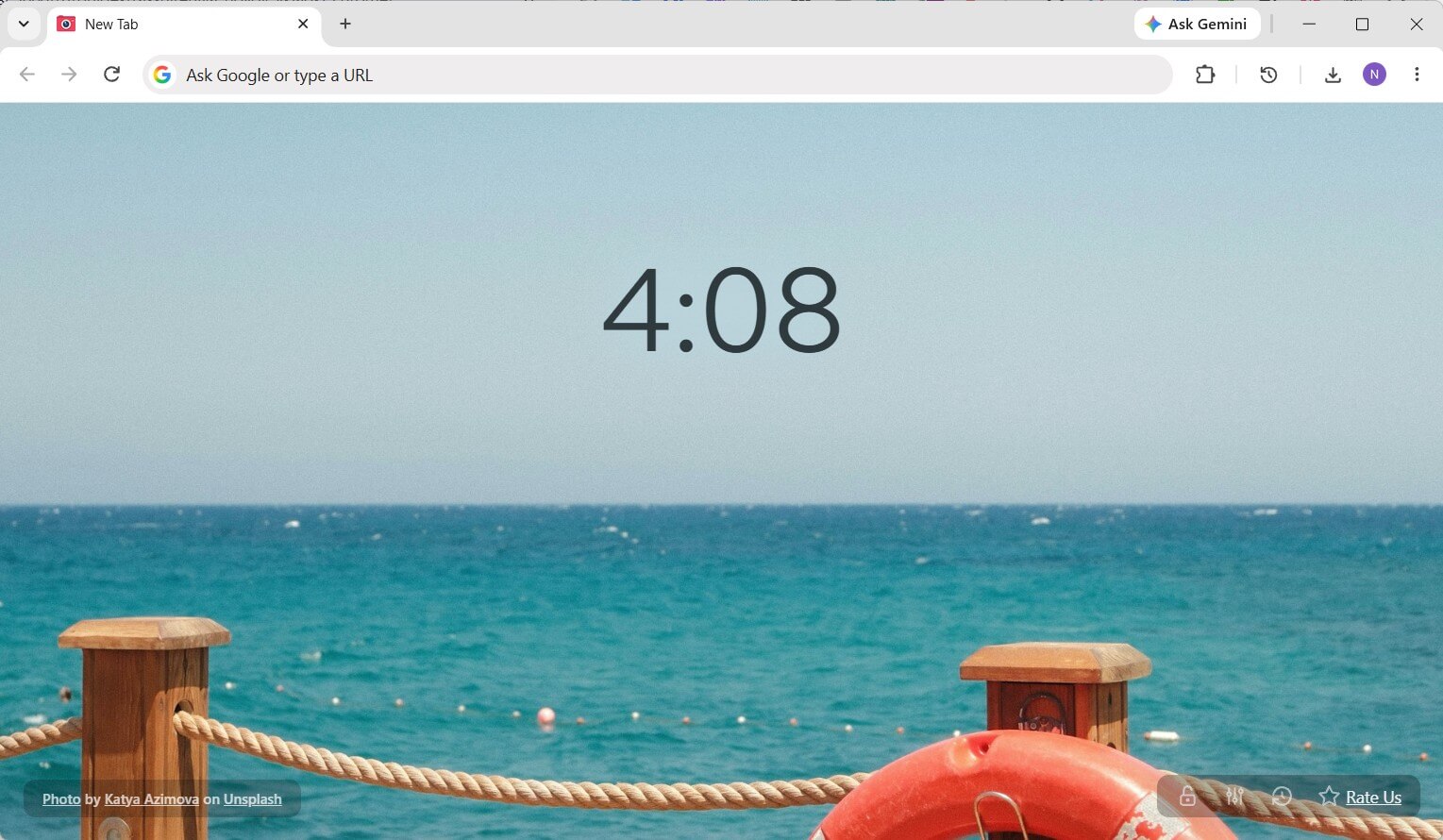
Bonjourr (400K users, 4.90★) is a minimalist start page styled after iOS and macOS. Out of the box, it pairs dynamic backgrounds with a clean clock, local weather, and a search bar. If you want light utility without visual clutter, you can enable grouped quick-link folders and a collapsible notes pad with Markdown checklist support.
Tabliss
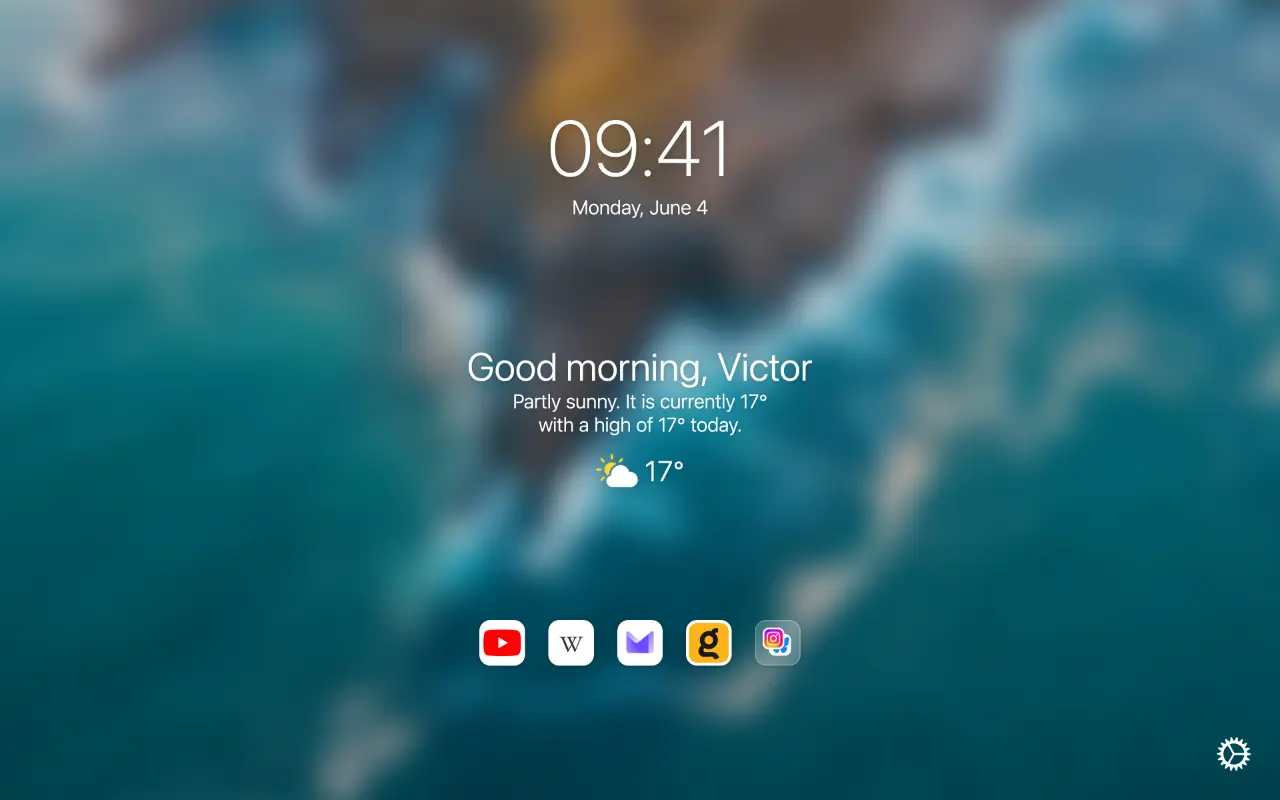
Tabliss (100K users, 4.66★) is a free, customizable new tab builder. You can pick your background source (Unsplash photos, Giphy animations, solid gradients, or local image files) and arrange individual widgets on the canvas — including a clock, weather, greeting, to-do list, or quick links — with no account or subscription.
Earth View from Google Earth
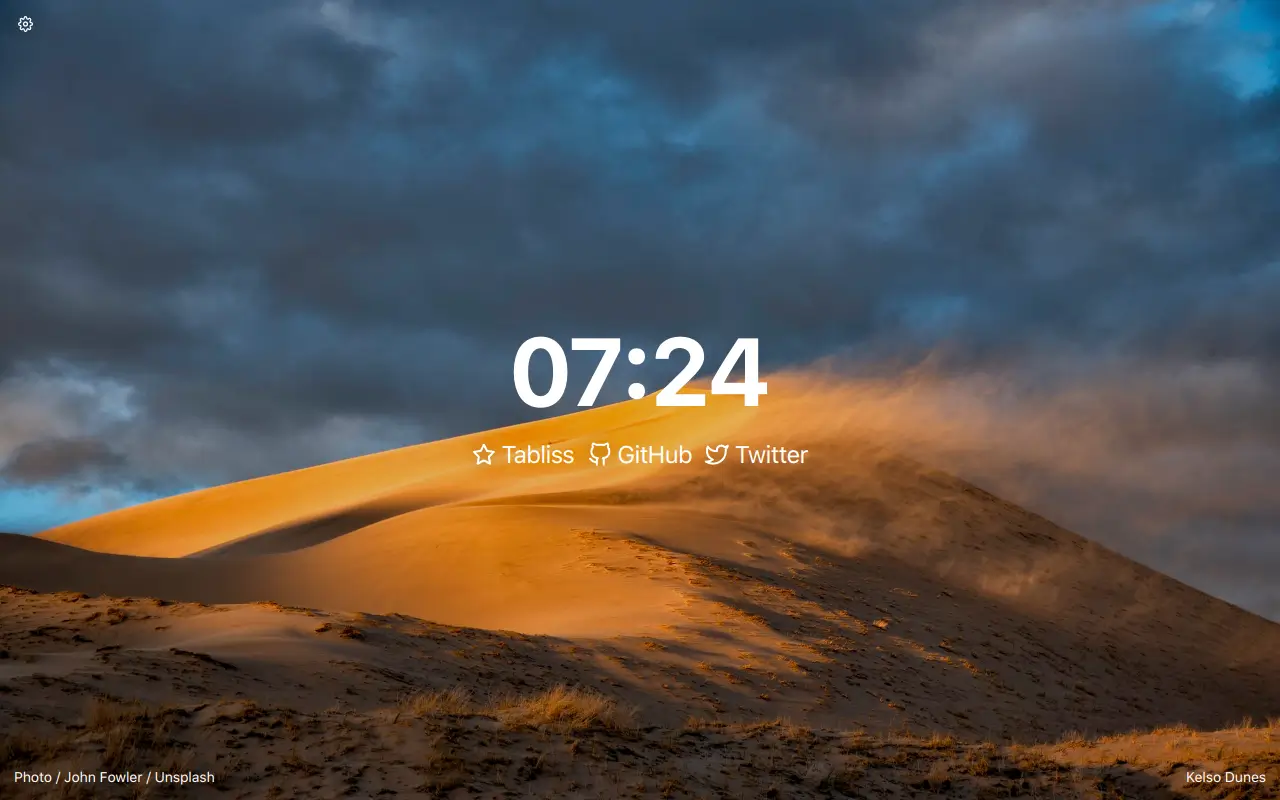
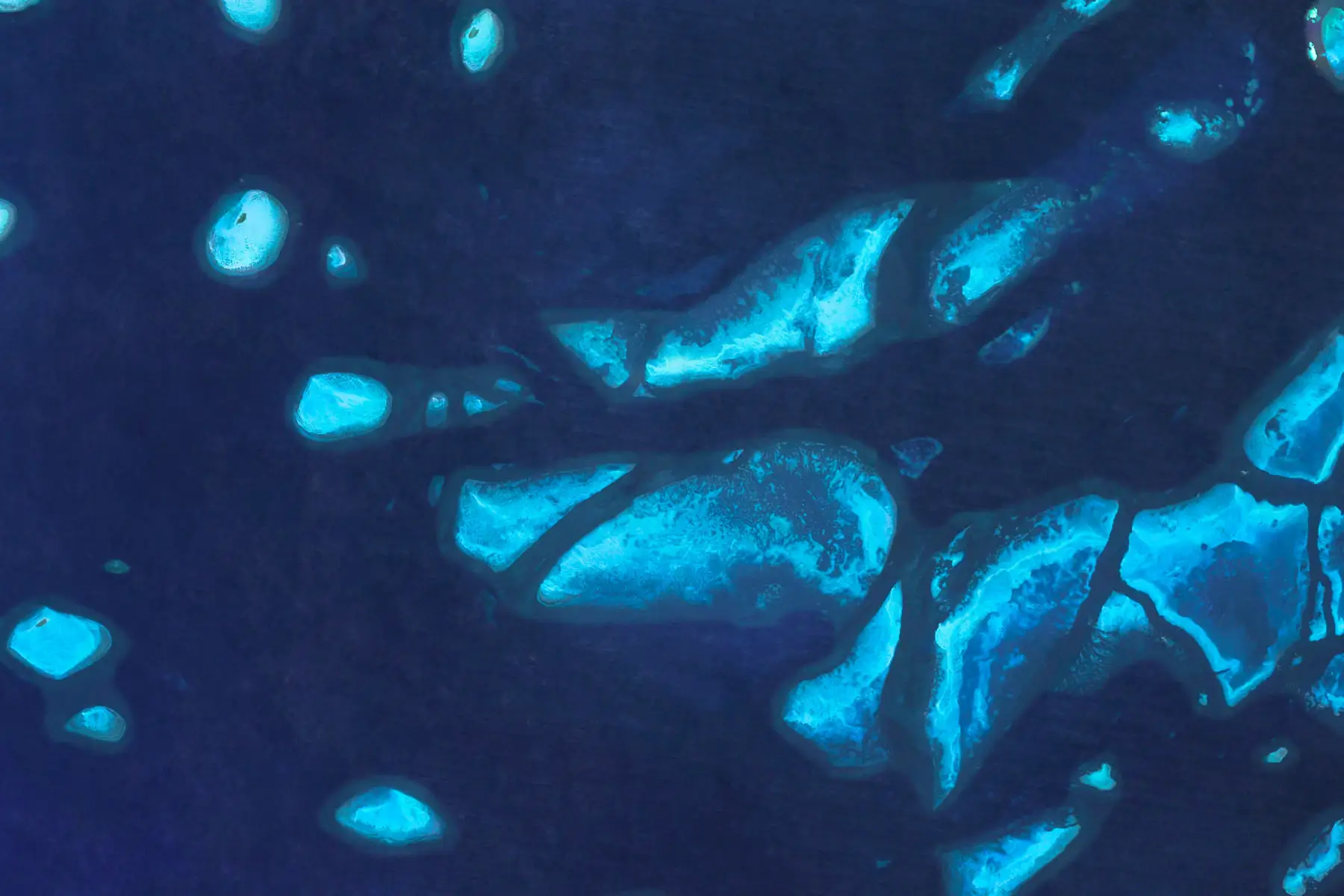
Earth View from Google Earth (600K users, 4.21★) is Google's own minimalist wallpaper extension. Every new tab reveals a high-resolution satellite view of a coastline, desert, or mountain range from Google Earth, accompanied only by the location name and a link to explore the region on the globe.
Visual Bookmarks, Speed Dials, and Tab Managers
If your new tab acts as a launchpad for dozens of web apps, docs, and project boards, a dedicated speed dial or session manager will save you far more time than Chrome's default eight shortcuts.
Infinity New Tab
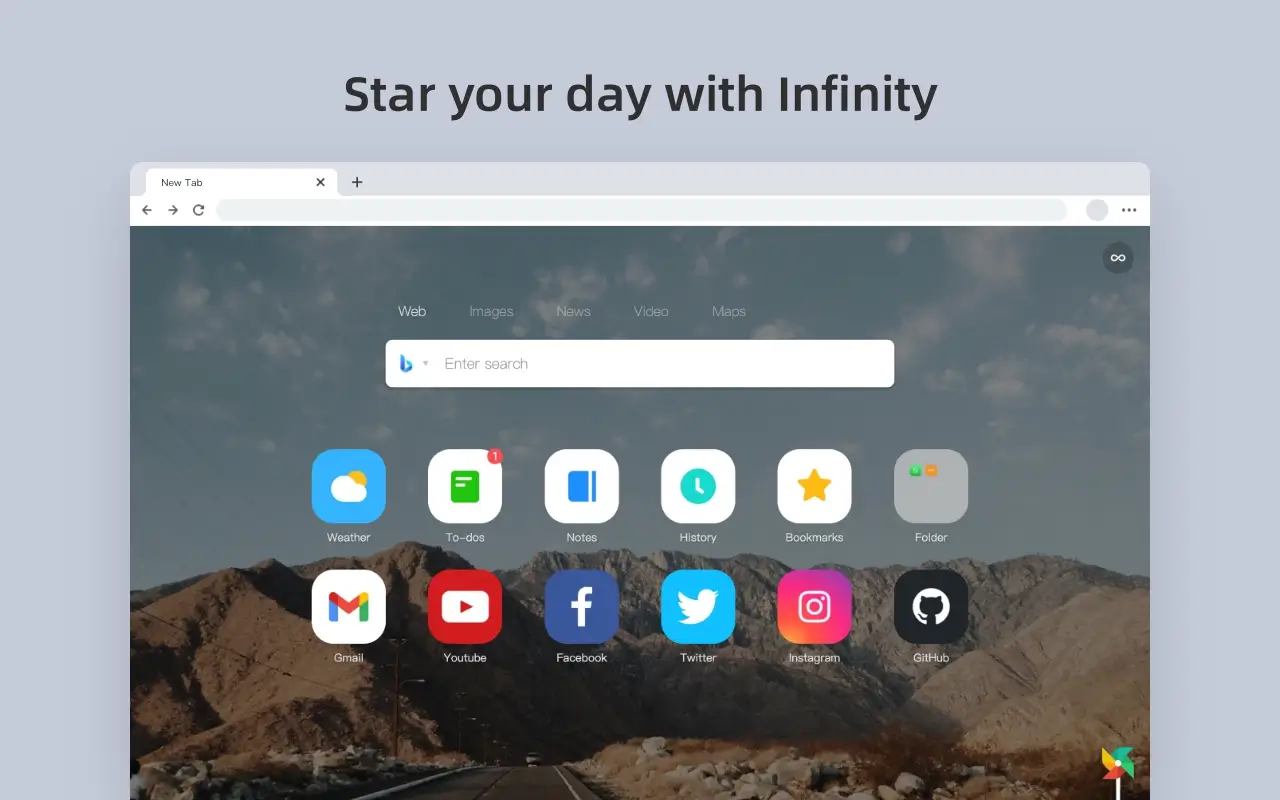
Infinity New Tab (400K users, 4.57★) replaces Chrome's standard shortcut row with customizable icon pages. Alongside site tiles, it integrates a multi-engine search bar, weather widget, sticky notes, a task list, and optional cloud backup for your layout.
Speed Dial FVD
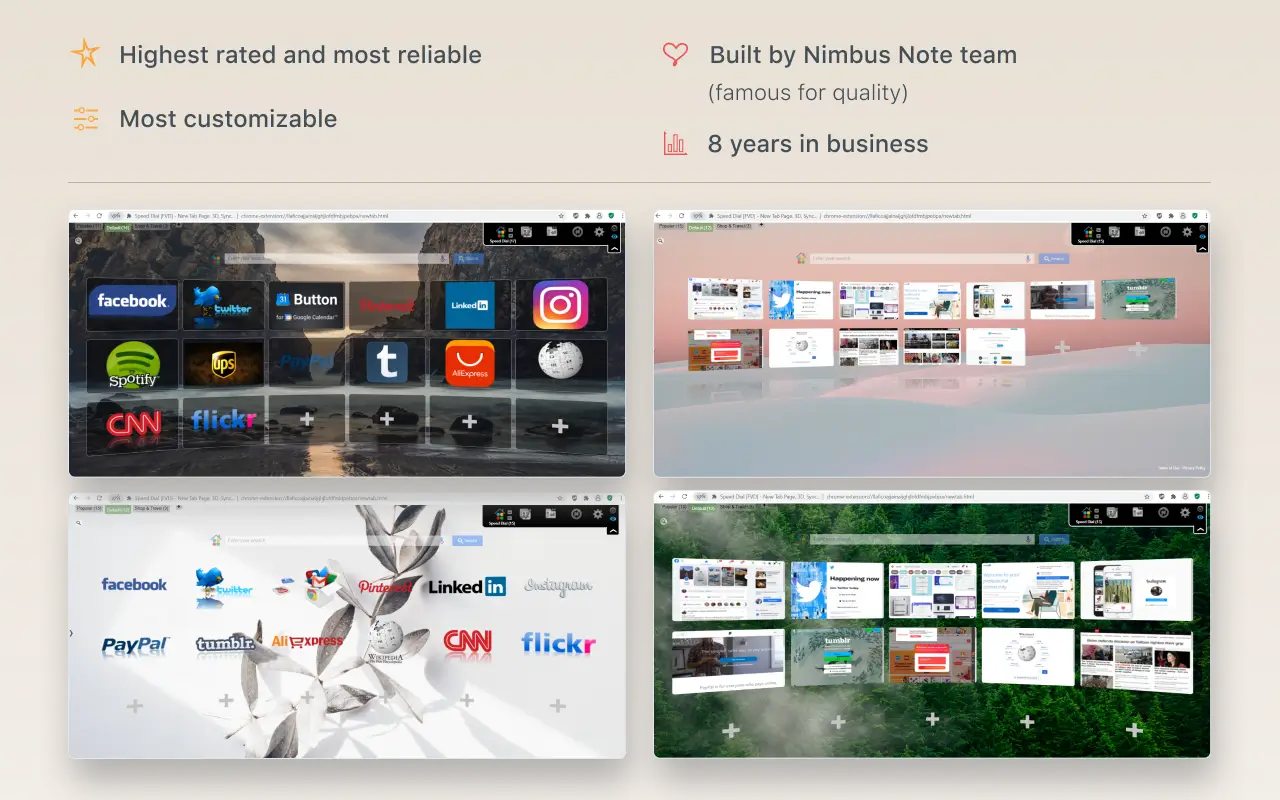
Speed Dial FVD (500K users, 4.69★) is a long-running bookmark dial featuring multi-group categories, most-visited tab tracking, custom grid layouts, and cross-device sync (includes optional Premium plans and sponsored tiles).
nightTab
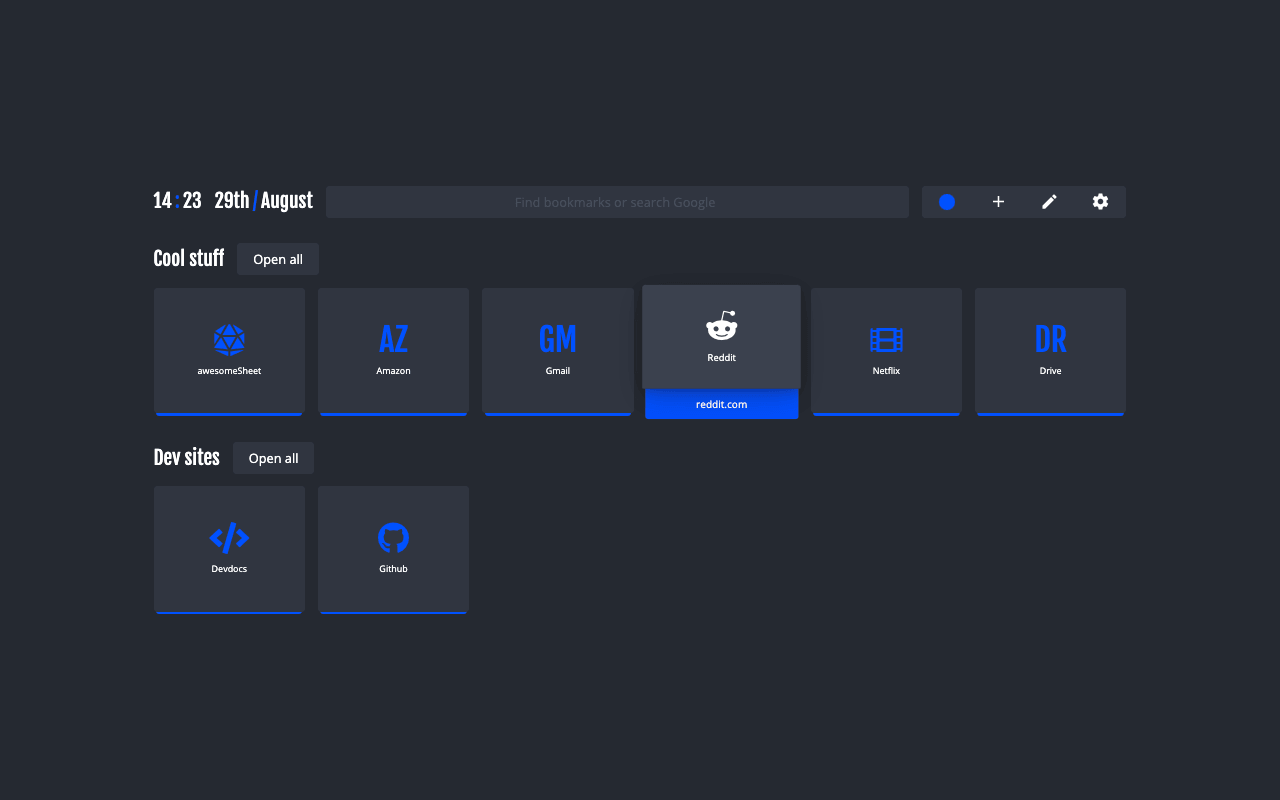
nightTab (100K users, 4.69★) is built for power users who want deep visual control over their bookmark grid: you can tweak tile dimensions, accent colors, dark themes, photo/video backgrounds, and export your setup to a local backup file.
Toby: Tab Manager & Session Saver
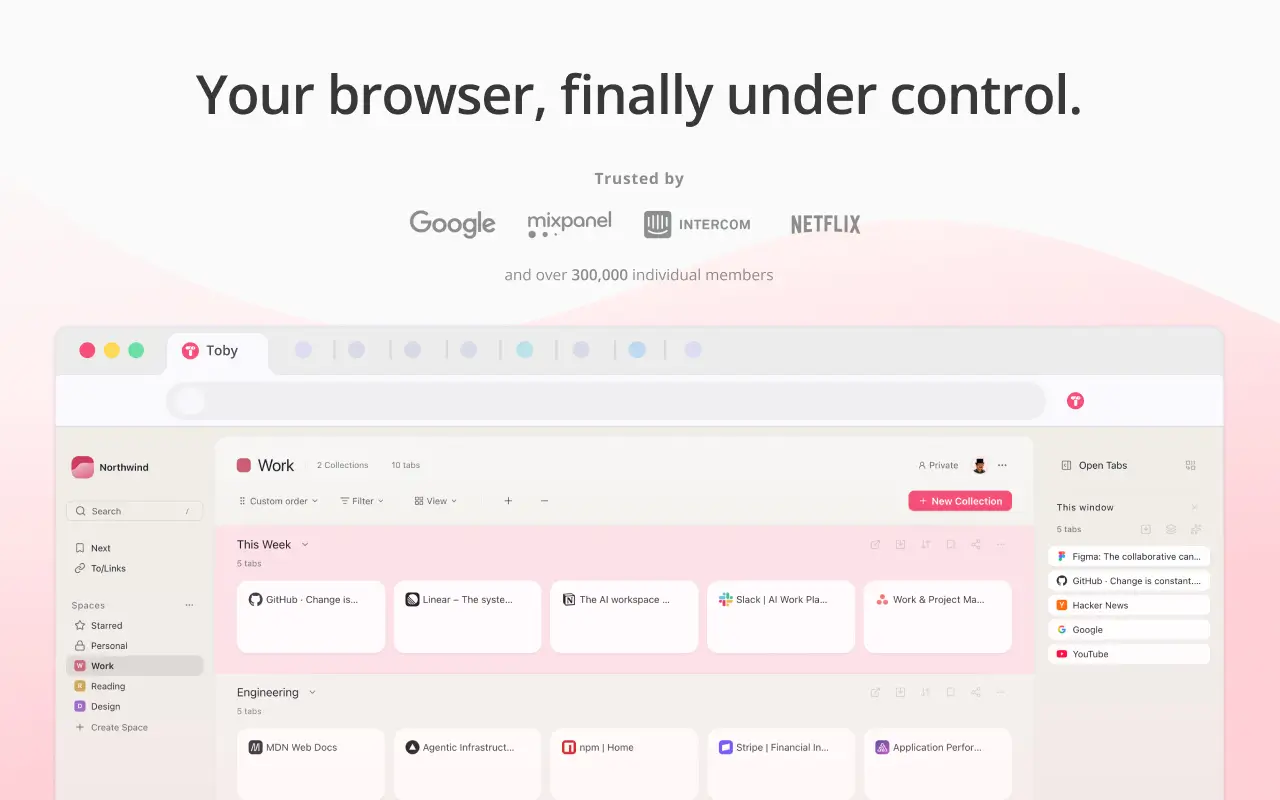
Toby (300K users, 4.21★) tackles browser clutter differently: instead of saving individual static bookmarks, Toby lets you sweep an entire window of open tabs into a named collection on your new tab page so you can reopen that exact workspace later. Its free Starter tier supports up to 60 saved cards, with unlimited cards and team workspaces on paid plans.
Focus, Daily Tasks, and Pomodoro Dashboards
These extensions turn your new tab into a gentle accountability screen so you stay on track instead of drifting into distractions.
Momentum
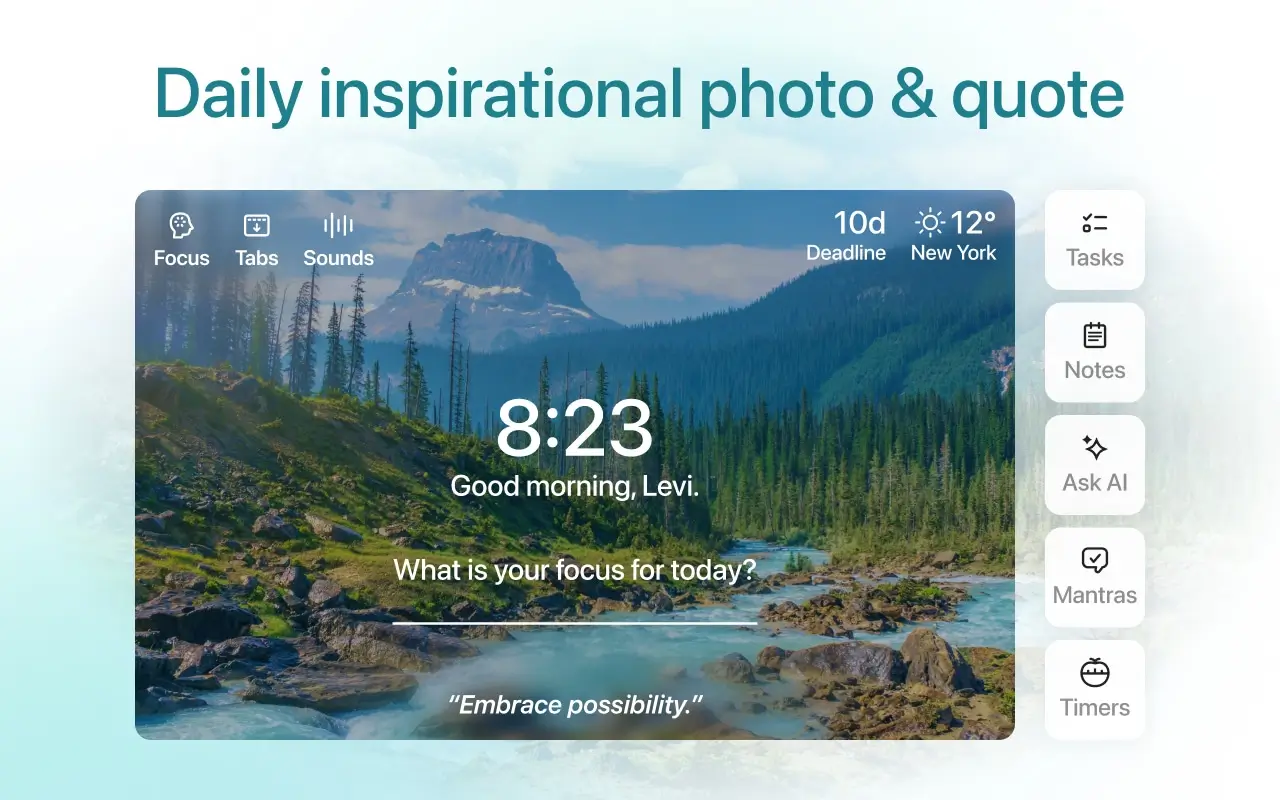
Momentum (2M users, 4.49★) pioneered the personal focus dashboard on Chrome. Each day it displays a new landscape photo, an inspiring quote, a prompt asking for your single main focus for the day, and a corner to-do list.
The base extension is free, while skipping photos on demand, uploading custom backgrounds, using focus timers, and syncing tasks with third-party managers (Todoist, Trello, Asana, Google Tasks) require a paid Momentum Plus subscription.
Wallsflow
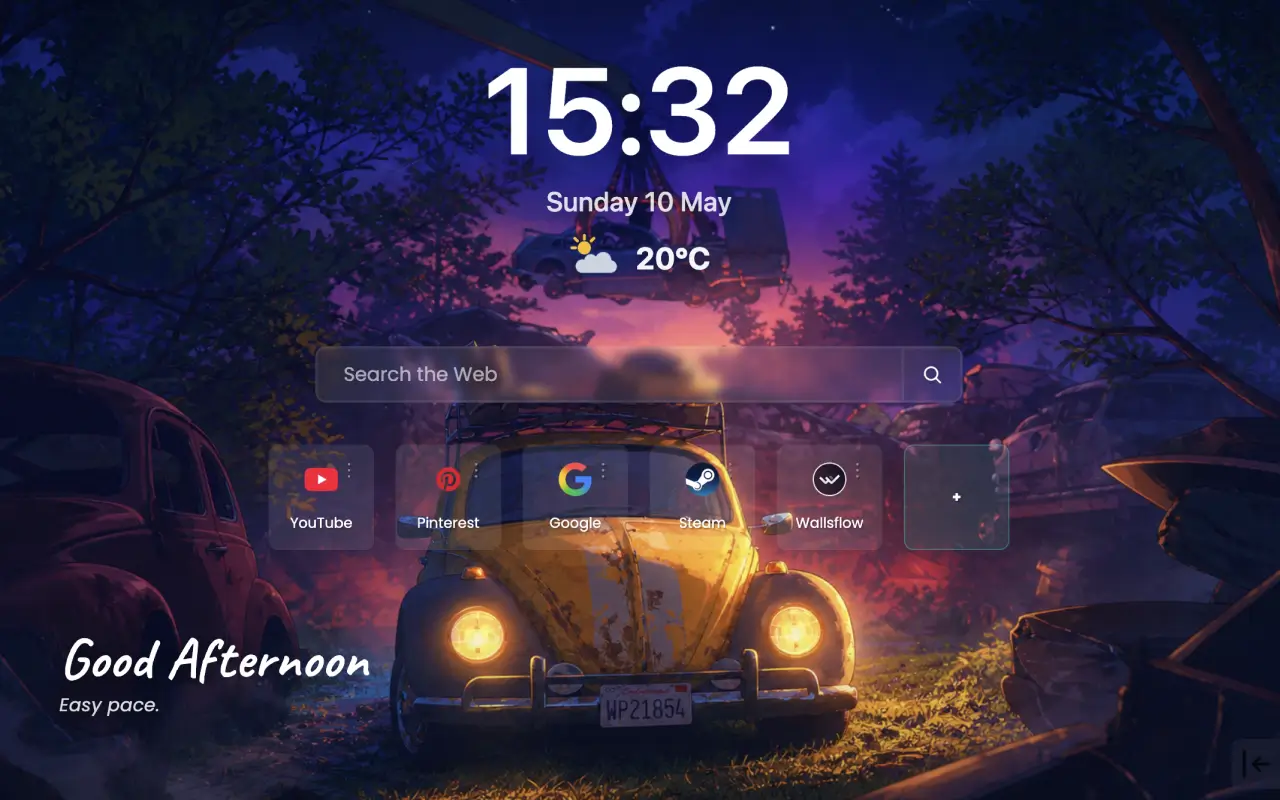
Wallsflow (300K users, 4.81★) combines live video wallpapers with an adjustable Pomodoro focus timer and a built-in ambient sound mixer featuring 23 soundscapes (rain, forest, café, fireplace) with individual volume sliders. It also supports embedded music playback from YouTube, Spotify, and SoundCloud.
Curated Reading Feeds for Developers and Designers
If you want your new tab to replace your morning industry reading list, feed extensions surface top community stories every time you open a tab.
daily.dev (for Developers)
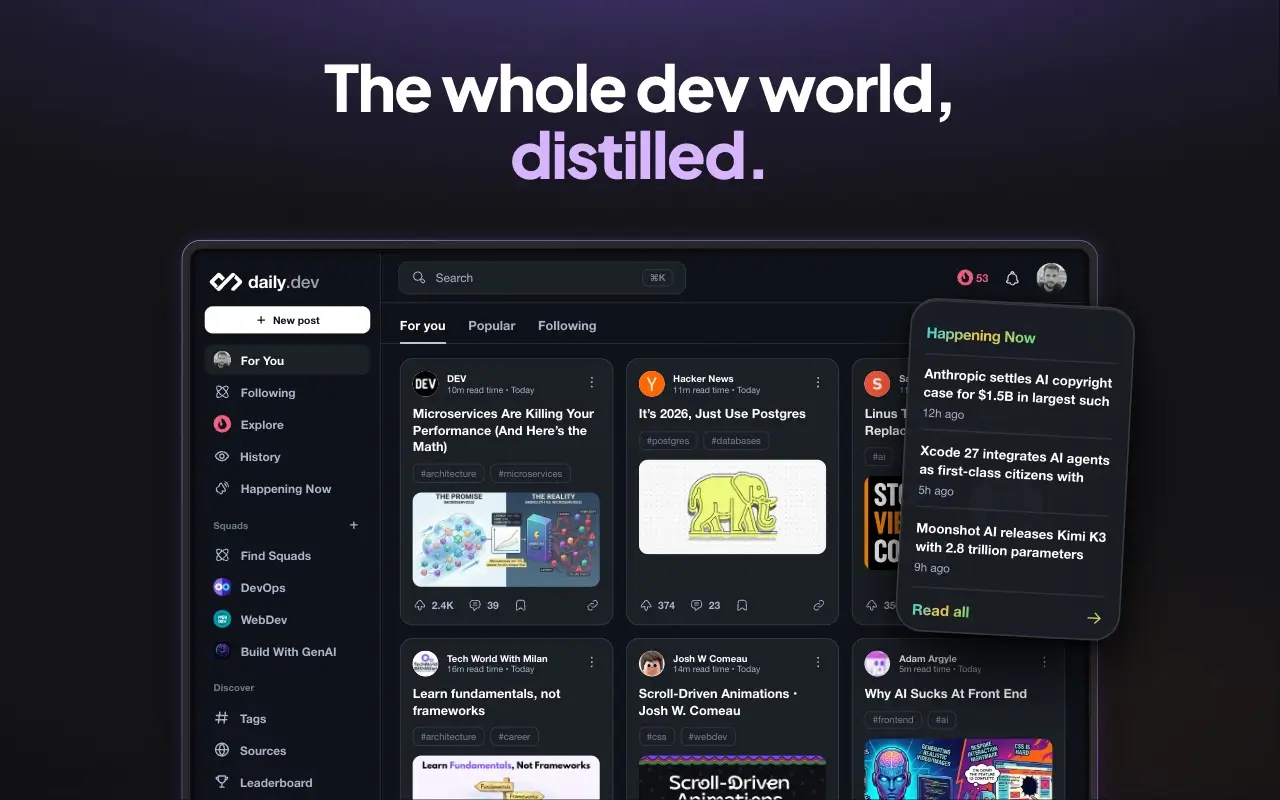
daily.dev (400K users, 4.82★) aggregates technical articles, tutorials, and engineering discussions from hundreds of developer blogs and communities. You pick the tags you care about (such as TypeScript, Rust, Cloud, or AI), bookmark posts for later, and discuss articles with other engineers directly from your new tab.
Muzli (for Designers)
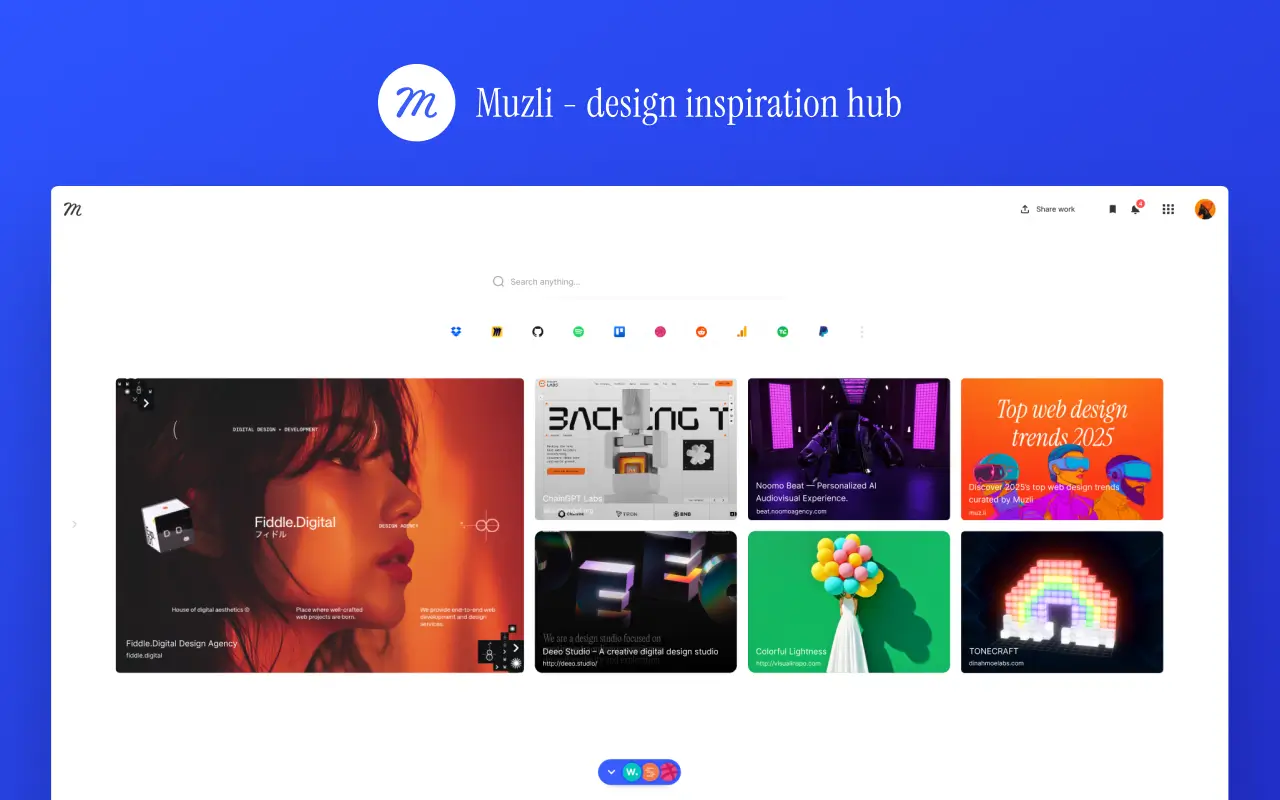
Muzli (400K users, 4.51★) follows the same model for product designers, illustrators, and creative directors — pulling fresh visual inspiration, UI/UX case studies, and interactive websites from Dribbble, Behance, Awwwards, and design publications.
How to Test New Tab Extensions and Switch Back Anytime
When trying out one or several new tab extensions, keeping three Chrome behaviors in mind will save you confusion:
Why can't two new tab extensions run at the same time?
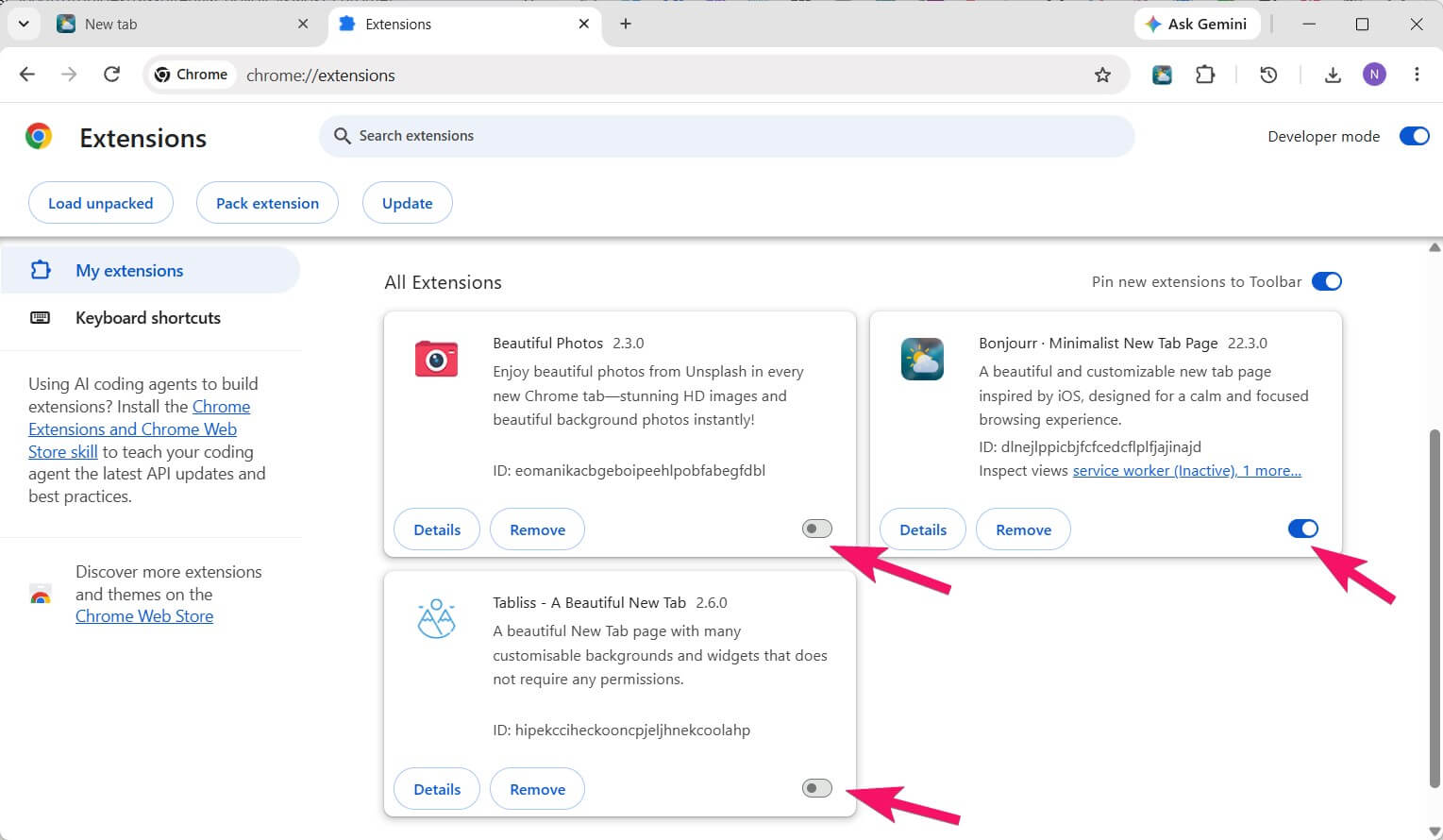
Chrome only allows a single extension to control the chrome://newtab page at any given moment — usually whichever extension was installed or enabled most recently.
If you want to compare two or three extensions from this guide side by side, you don't need to uninstall them each time:
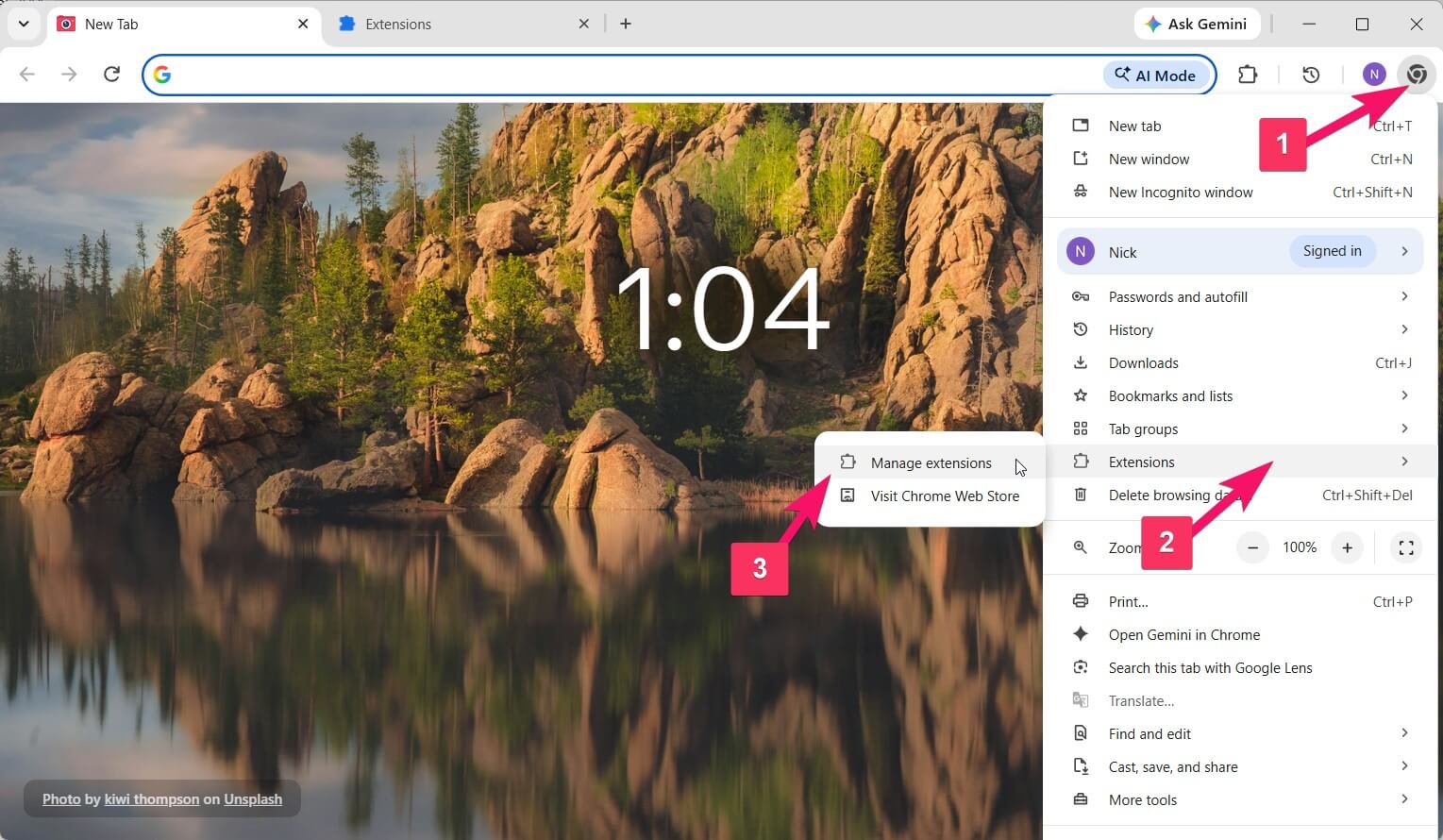
- Open
chrome://extensions/in your address bar or through the browser menu:- Extensions → Manage Extensions.
- Or click the puzzle-piece icon in the top-right toolbar → Manage Extensions.
- Toggle the blue switch on or off for each extension — Chrome will immediately hand the new tab page to whichever one remains enabled.
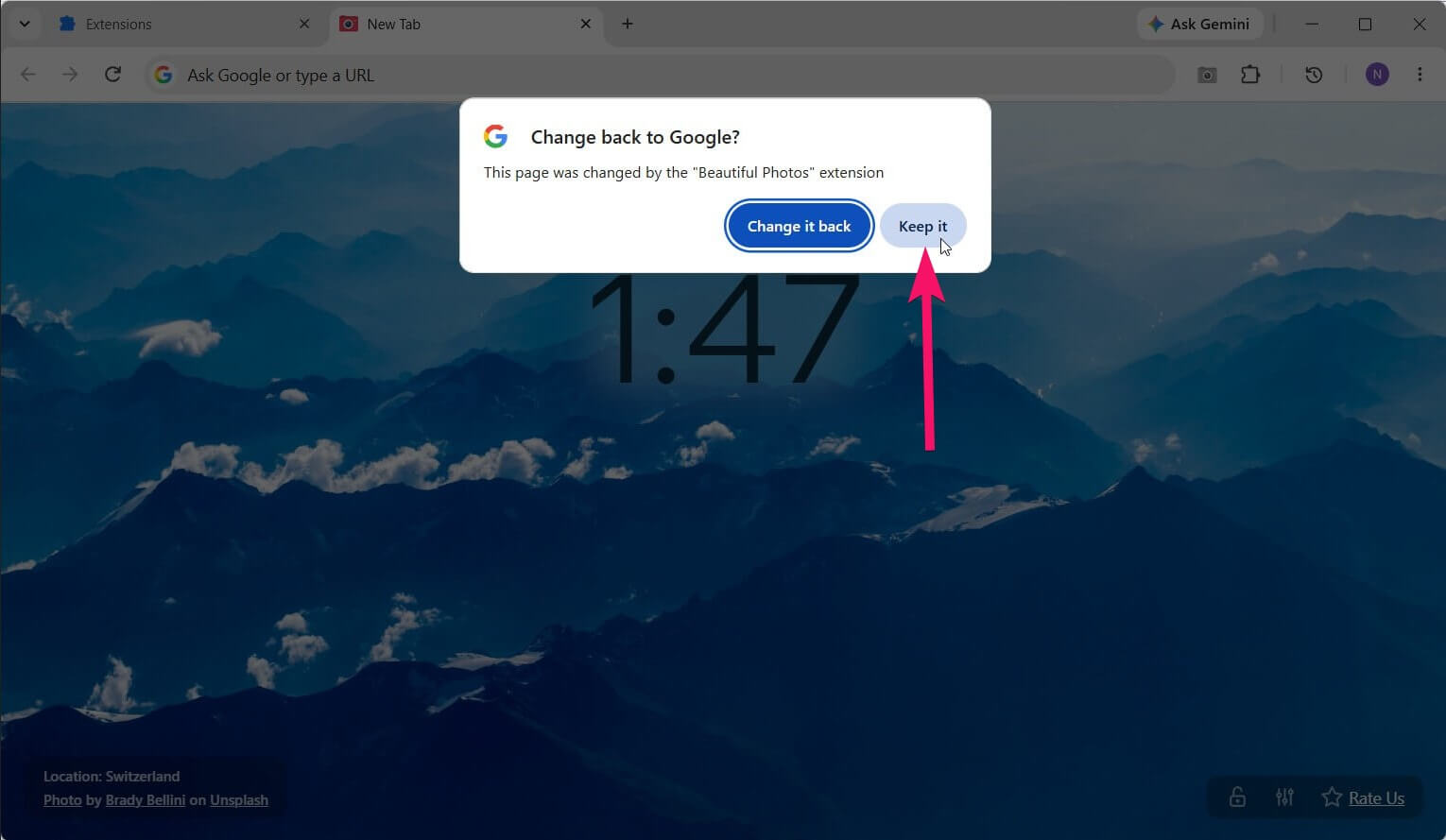
What is the "Change back to Google" prompt?
The first time you open a new tab after installing any new tab extension, Chrome displays a system notification letting you know that an extension has changed your new tab page, with Change it back and Keep it buttons.
This is a standard Chrome security check to make sure an extension didn't hijack your start page without your consent. Click Keep it to confirm your choice.
How do I restore the default Chrome new tab page in 5 seconds?
If an extension isn't for you, simply disable it on the chrome://extensions/ page or right-click its icon in the Chrome toolbar and select "Remove from Chrome".
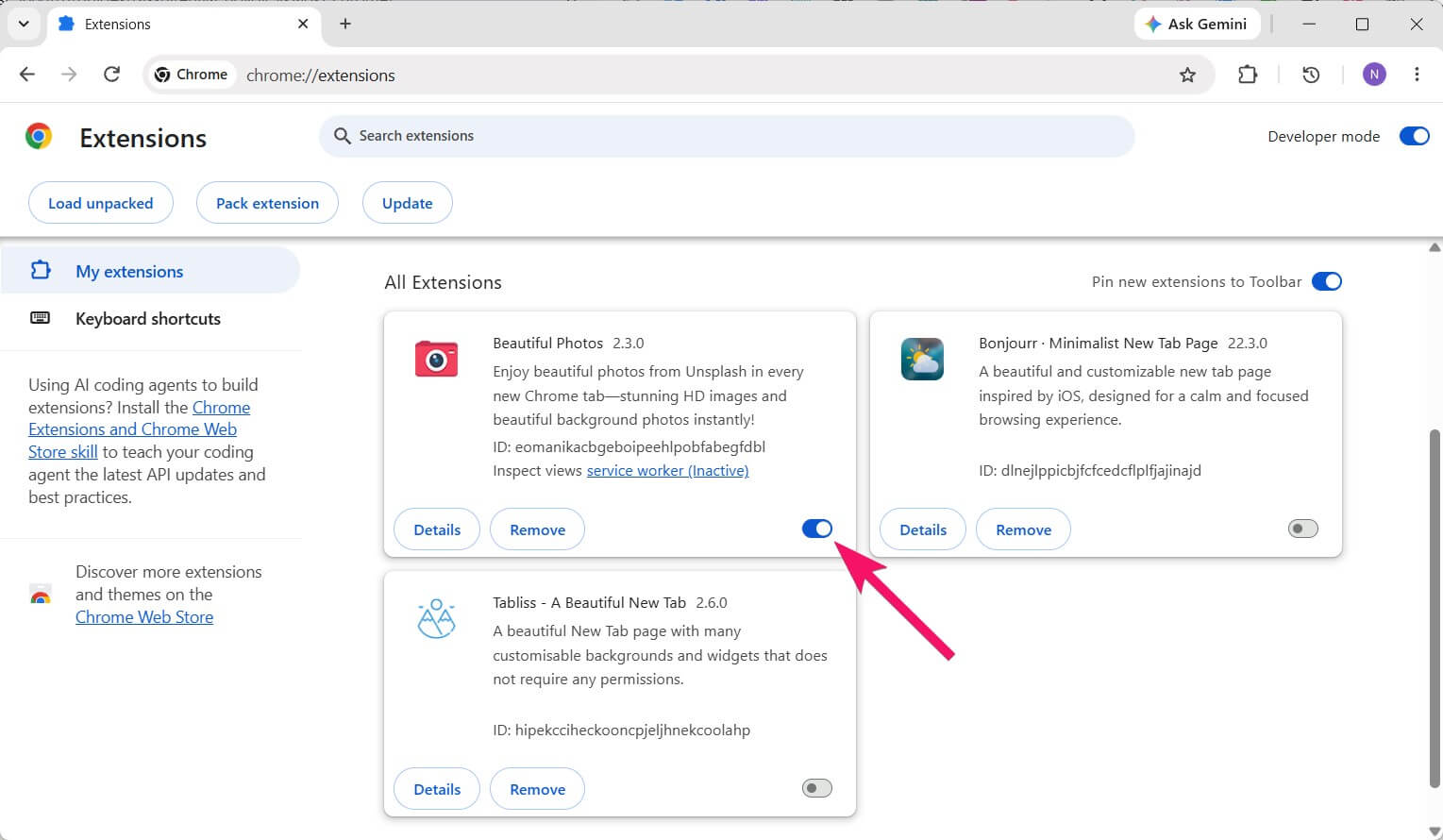
Once disabled, Chrome immediately restores the standard Google new tab page, which you can also customize using Chrome's built-in themes or your own uploaded image. And if you simply want a fresh high-resolution landscape every time you open a tab without cluttered widgets or setup, start with Beautiful Photos.